

Connect your sports watch with WandelWeb
Automatically sync walks and send routes to your watch. From Garmin and Suunto to Apple Watch and Wear OS: choose which watch you use below.

Garmin Connect
Official Garmin connection. Automatically sync activities and send routes to your Garmin watch.
Read moreSuunto
Official Suunto connection. Import walks and send routes to your Suunto account.
Read more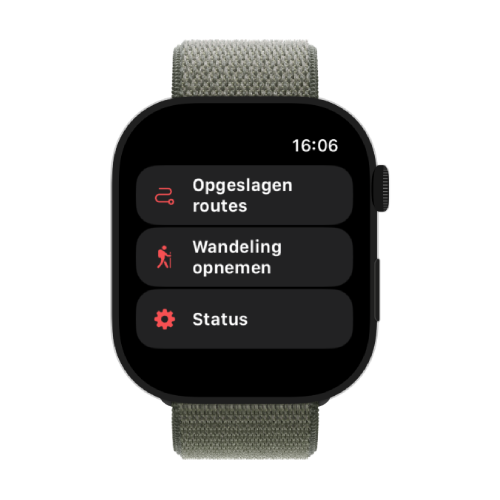
Apple Watch
A dedicated WandelWeb app on your wrist. View routes, record and navigate — syncs via Apple Health.
Read moreWear OS
Recommended for Galaxy Watch, Pixel Watch and other Wear OS watches. The dedicated WandelWeb app on your watch records walks with a GPS route, shows your favourites and lets you navigate with spoken directions. Recordings sync to WandelWeb automatically through your phone.
Install WandelWeb from the Play Store on your watch (Wear OS 3 or newer), then open the phone app. Use this instead of Samsung Health: it usually does not send a GPS route through Health Connect.
Health Connect
Import walks with a GPS route from apps that write to Health Connect, such as Health Sync, Google Fit, Polar Flow, Fitbit or Coros. Not a replacement for a Galaxy Watch or Pixel Watch: use the WandelWeb Wear app there.
Only walks with a GPS route are imported. Samsung Health often does not share that route. Connect via Profile → Settings → Connections → Health Connect.
What can you do with a connection?
Whatever watch you use, you get the same core benefits in WandelWeb.
Automatic import
Your walks appear in WandelWeb automatically — no GPX uploads.
Routes on your watch
Send routes from WandelWeb to your watch for navigation on the go.
One overview
All your activities in one place, together with your community and challenges.
Ready to connect?
Open the WandelWeb app, go to Profile → Settings → Connections and choose your watch.



