

Events in WandelWeb
Curious about all walking events in your area? Or want to organise a walk yourself? With the Events feature in WandelWeb you are all set!
Discover events
There are three ways to find events:
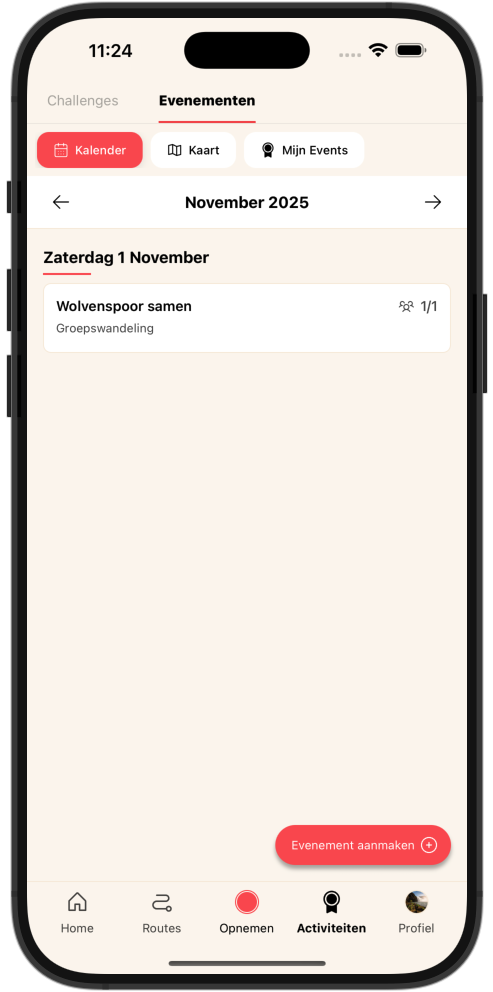
Calendar view
View all events per month in a clear calendar layout. Swipe between months and see at a glance which walks are coming up.
You see immediately:
- •The date and time
- •The name of the event
- •The type (group walk, one-day, multi-day, four-day)
- •The location
- •Number of participants (if a maximum is set)
- •Whether the event is cancelled or full
Map view
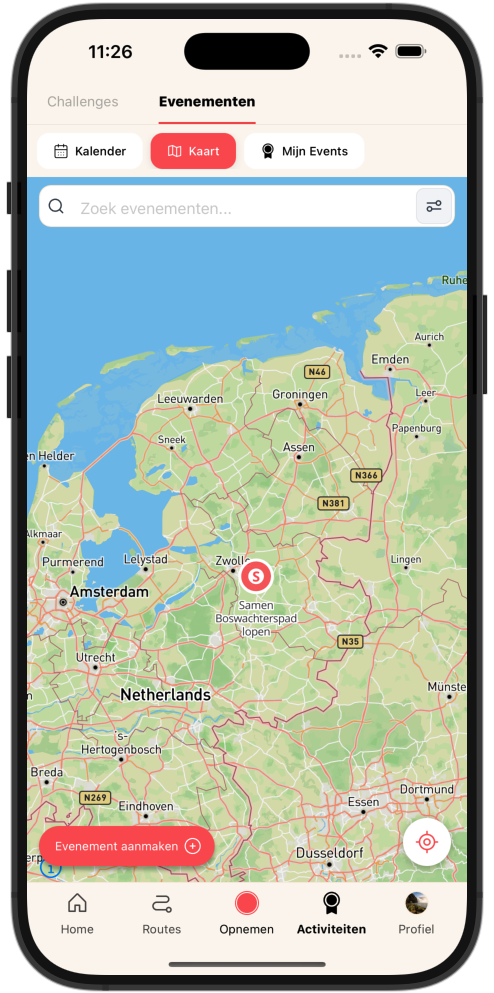
Find events on the map! Ideal to see which walks are near you.
-
Pins on the map for all events in the visible area
-
Automatically load events when you move the map
-
Your own location with a button to quickly re-centre
-
Click a pin to go straight to the details
My Events
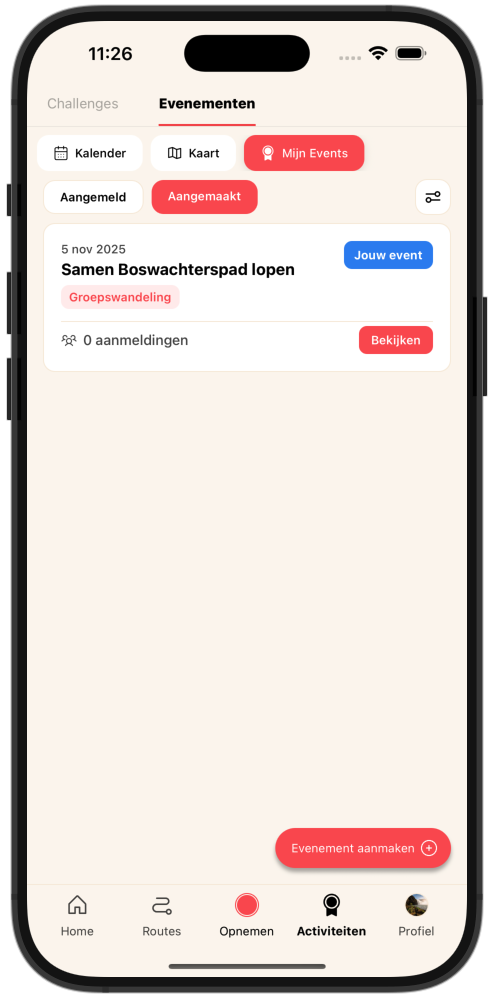
Your personal overview with two tabs:
Registered
All events you have registered for, including your own notes
Created
Events you have created, with the number of registrations per event
Search and filter
Find exactly what you are looking for with handy filters:
Period
-
Upcoming
Events that still have to take place
-
Ongoing
Events happening now
-
Past
Past events
Type
-
Group walk
Friendly walks with a group
-
One-day
A nice day of walking
-
Multi-day
Multiple days on the trail
-
Four-day
The well-known four-day walking events
Difficulty
-
Easy
Suitable for everyone
-
Medium
A bit of a challenge
-
Challenging
For the active walker
-
Difficult
For experienced walkers
Plus a search bar to search directly by name!
Viewing an event
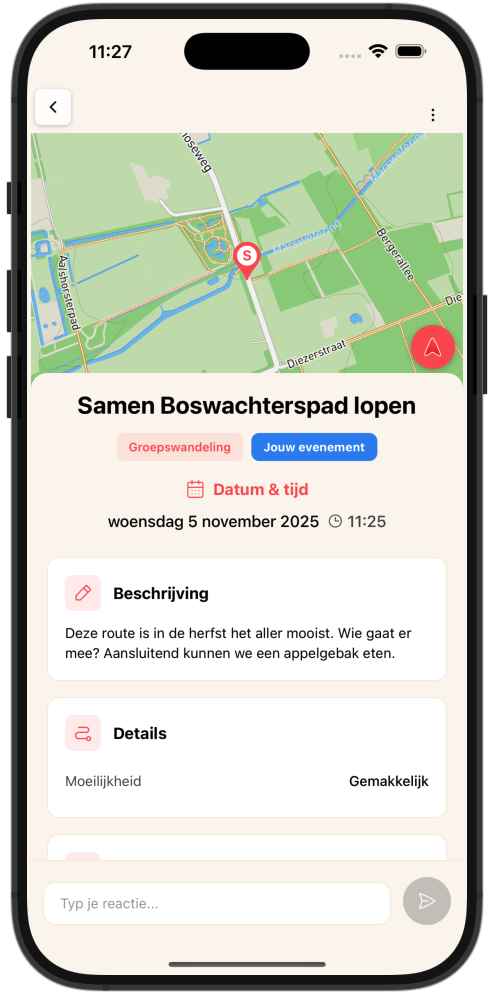
Click an event to see all details:
General information
- •Title and description
- •Date and time
- •Event type and difficulty
- •Location on the map (tap to open in your navigation app)
- •Organiser information
- •Website and registration links
Participation
- •Number of registrations and maximum
- •Status (full, cancelled, etc.)
- •Register button (or link to external registration)
- •You can add a note with your registration
Routes
If the organiser has linked routes, you see them here. For example different distances or routes per day for multi-day events.
Comments
Registered participants can:
- •Post messages
- •Ask the organiser questions
- •Like others
- •Stay in touch about the walk
Organise an event yourself
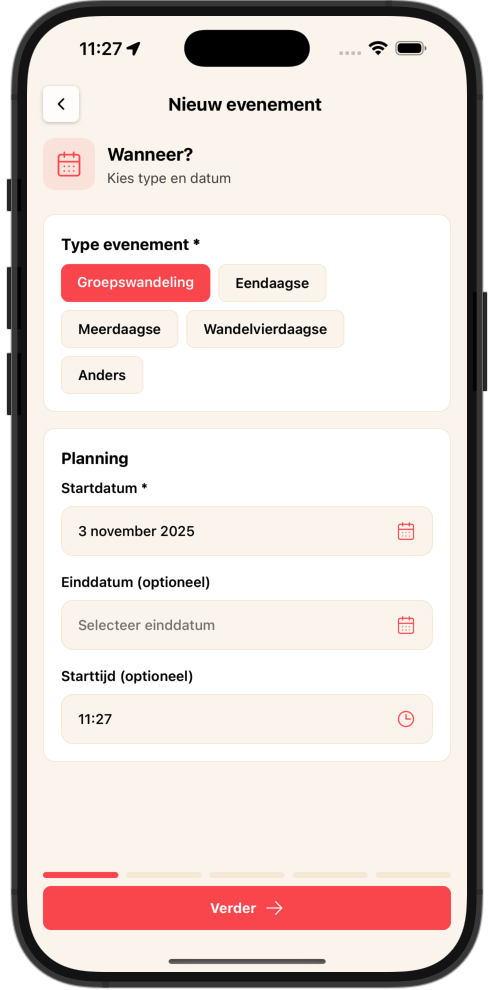
When?
- •Choose the event type
- •Select the start date
- •For multi-day events: also choose an end date
- •Set the start time
Where?
- •Tap the map to choose the start location
- •Give the location a name (for example "Forest car park")
- •The map shows exactly where participants need to be
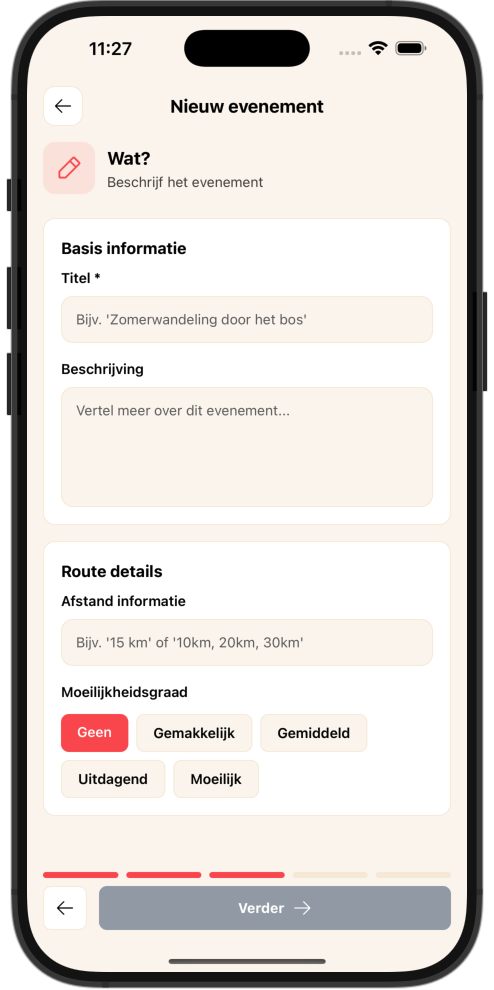
What?
- •Give your event a catchy title
- •Write a detailed description
- •Tell participants what to expect
Details (optional)
- •Set a maximum number of participants
- •Add your organisation name
- •Link to a website
- •Choose the difficulty
- •Provide information about the distances
- •Do you want registrations via the app or via an external link?
Link routes (optional)
- •Search routes from the WandelWeb database
- •Link them to your event
- •For multi-day events: assign a day number per route
- •You can indicate different distance variants
Manage your event
As organiser you have extra options:
Participants
- •See who has registered
- •View their notes
- •Remove participants if needed (with a reason)
- •Restore accidentally removed participants
Edits
- •Edit all event details
- •Add or remove routes
- •Cancel the event (with a reason for participants)
Communication
- •Reply to questions in the comments
- •Keep participants informed
Tips for a successful event
Be clear
Write a good description with all practical info
Link routes
If you link routes, participants can explore them in advance
Reply to questions
Keep an eye on the comments
Communicate changes
Need to change something? Let participants know!
Be on time
Create your event well in advance so people can register
Frequently asked questions
Can I cancel an event?
Yes, as organiser you can cancel an event. Participants will see this and can read your cancellation reason.
What happens if an event is full?
New people can no longer register. A clear "Event full" message appears.
Can I unregister from an event?
Yes, you can always unregister yourself via the detail page.
Do I always have to register via the app?
No, organisers can also provide an external registration link. Then you are taken to their own website.
Can I see who else is going?
Yes, if you are registered you see all other participants. That way you can already get to know each other a little!
Ready to discover events?
Download our app and discover walking events near you!



